Skip to content
FlyerCo
FlyerCo
  • Home
  • Member Login
  • Flyer Designs
  • Pricing
  • Blog
  • Support
    • Contact Us
    • Knowledge Base
Looking for help?
< All Topics
  • Main
  • Design
  • How do I edit the text on a flyer?

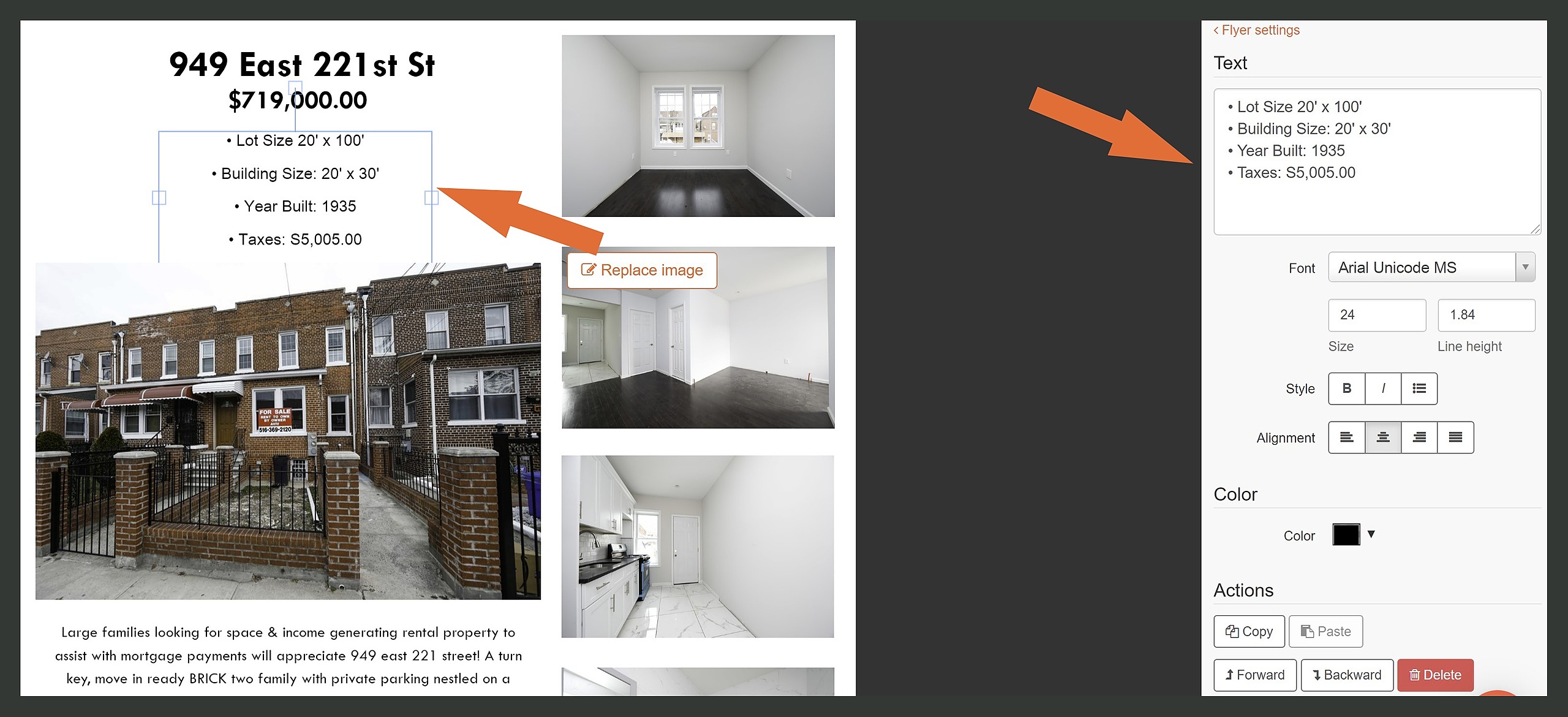
How do I edit the text on a flyer?

To edit the text on a flyer click on the text you would like to edit. You will see a text menu appear on the right hand side of the page. You can edit the text, size, style and alignment of your text there.
How do I edit the text on a flyer?

Previous How do I replace a stock image with one of my own images?
Next How do I delete an image?
Real Estate Quotes | Blog | Privacy Policy | Terms & Conditions | Contact Us
© 2026 All Rights Reserved - FlyerCo.com